
Burner: Second Phone Number
Ad Hoc Labs, IncCommunication
4.317.72K Reviews
- Version
- 7.36.0.4142.16646604
- Installs
- 5.00M
- Age Rating
- Everyone
Screenshots
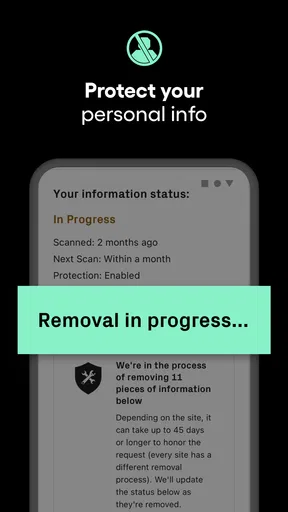
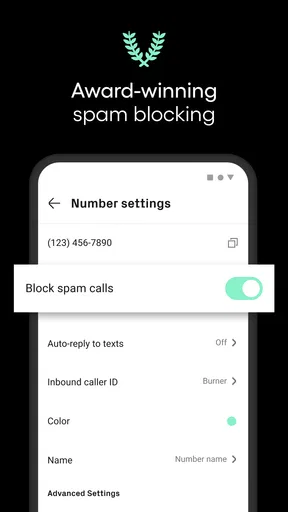
Our Review of Burner: Second Phone Number
 Analysis by Appyee
I’d treat Burner: Second Phone Number as a practical boundary between the number I share widely and the one I want to keep for people I know. That can be useful when posting a listing, arranging a service appointment, or trying a new online community: I can give out a separate number without carrying a second device. The key is to think of it as a communication tool, not as a guarantee of anonymity or a replacement for every part of a mobile plan.
Before you install, decide what the number is for
Burner is a communication app from Ad Hoc Labs, Inc, and its central idea is simple: use an additional number for calls, texts, and picture messages. It is free to install, but in-app purchases range from $1.99 to $269.99 per item, so I would decide how long I expect to need a number before choosing a paid option. The app has a 4.3 average from around 79,000 ratings, and more than 5 million installs; that gives a sense of its reach, but it doesn’t tell me whether a particular plan suits my habits.
For a first-time user, the useful question is not “How many numbers can I collect?” but “Which conversations do I want to keep separate?” I’d start with one clear purpose, such as replies to a marketplace listing. That makes it easier to notice incoming messages and decide when the number has served its purpose. If I expect ongoing calls from family, work, and customers all day, I’d compare the cost and convenience with a dedicated business line before moving everything over.
A first-use routine that keeps things clear
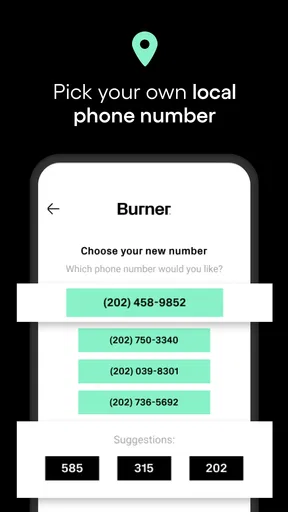
After installing, I’d check that the app is supported on my device: its minimum operating-system requirement is version 10. Then I’d choose a number with the area code that makes sense for the people I expect to contact. Area-code choice can shape how familiar a number looks to someone receiving a call, but it does not change where I am or make me a local business. I’d use it for separation, not to suggest a location I don’t have.
Before sharing the new number, I’d send a test text to someone I trust and ask them to reply. That small check confirms I can recognize the conversation and respond from the intended line. I’d also record the number in the context where I’ll need it—for example, in the note for a listing—rather than assuming I’ll remember which line I used weeks later. This is a simple habit, but it prevents the awkward mistake of replying from my personal number after starting a conversation through Burner.
What a successful everyday use looks like
Imagine I’m selling a desk and want buyers to arrange a pickup. I can put the separate number in the listing, answer practical questions, and use picture messaging if a buyer needs an extra photo. If the item sells, I can stop using that line for the listing rather than leaving my everyday number attached to an old post. The benefit is not that every stranger becomes trustworthy; it’s that I have a clearer boundary and a way to end that contact channel when the task is finished.
That same pattern suits short projects, temporary event coordination, or sharing a number with a service provider I may not contact again. It is less compelling for people who simply want a second identity for every conversation. Extra numbers also create extra messages to track, and a new line only helps if I remember to check it. I’d keep the use case narrow enough that I can tell at a glance why that number exists.
What Is Burner All About?
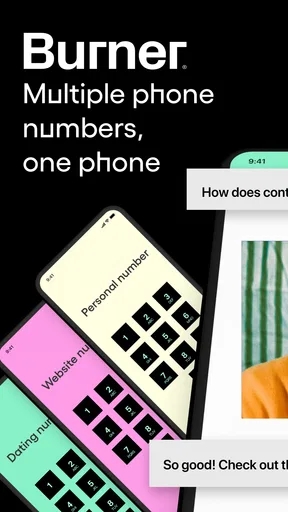
So, Burner is basically an app that lets you create and manage multiple phone numbers without needing extra hardware. Whether you’re selling stuff online, dating, or just want to keep your real number under wraps, Burner’s got your back. It’s available on both Android and iOS, making it super accessible no matter what device you’re rocking.
Setup and User Experience
Installing Burner is a breeze. Just head over to your app store, download it, and you’re off to the races. The interface is straightforward and user-friendly, which is a huge plus for someone like me who appreciates simplicity. You can choose numbers from different area codes, which is a neat way to keep your location private or even pretend you’re calling from somewhere else. Shh, I won’t tell!
Features Galore
Burner isn’t just about making calls. Oh no, it packs a punch with features:
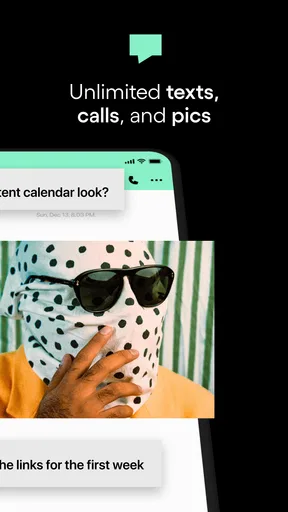
- Text Messaging: You can send and receive texts just like you would with your regular number.
- Picture Messaging: Because sometimes words aren’t enough, right?
- Voicemail: So you don’t miss important messages when you’re too busy to pick up.
- Call Forwarding: Handy if you want to keep your primary number in the loop.
- Custom Voicemail Greetings: Personalize your call experience.
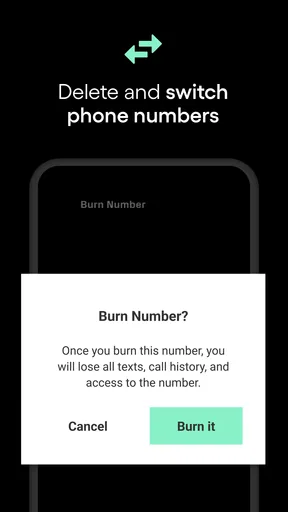
One of my favorite features has to be the ability to "burn" a number. This means you can delete a number permanently if you’re done with it, which is great for keeping things tidy and secure.
Security and Privacy
In today’s world, privacy is huge, and Burner nails it. The app doesn’t link your Burner numbers to your real identity, which is perfect if you’re wary of sharing personal info. Plus, with end-to-end encryption, your calls and messages are kept under wraps. It’s like having your own little secret agent number!
Subscription Plans and Costs
Burner offers a couple of different plans. You’ve got your basic pay-as-you-go option, which is awesome if you just need a number for a short time. For those who need something more permanent, there’s a subscription plan that includes unlimited calls, texts, and the ability to keep your number for longer. It’s pretty flexible depending on your needs.
What’s the Catch?
Okay, so no app is perfect, right? With Burner, the only real downside I’ve noticed is that it can be a bit pricey if you’re using it long-term. But hey, you’re paying for convenience and privacy, so it’s a trade-off I’m totally willing to make.
Why You Might Love It
If you’re anything like me, you’ll love the flexibility and control Burner offers. It’s like having a superpower right in your pocket. Whether you’re managing a side hustle, trying to keep your personal life separate, or just enjoy a bit of anonymity, Burner is a game-changer.
Where another option may fit better
Compared with using a second SIM or a separate handset, Burner avoids carrying extra hardware, which is appealing when I only need a line for a defined task. A second SIM may be a better fit if I want a conventional mobile line that stays closely tied to my phone service, while a dedicated business phone can make more sense if I need a dependable, always-on work setup and want to keep business and personal devices physically separate. A free messaging account can be enough for conversations where both people already use the same service, but it won’t serve the same purpose as a phone number for calls and texts.
I’d also avoid treating a separate number as a shield against every kind of unwanted contact. It can reduce how often I share my main number, but I still need to think carefully about who receives the alternate one and what I say in a conversation. For sensitive matters, I would not assume that an app-based number makes a message private or anonymous simply because it is separate from my usual line.
Small habits that make a second line more useful
One practical trick is to give each number a written purpose before handing it out. “Furniture listing” is more helpful than “extra number” when an unexpected call arrives later. I’d also decide in advance what counts as finished: the item is collected, the appointment is complete, or the short project has ended. That makes the option to burn a number meaningful rather than an impulsive cleanup step.
Voicemail and a custom greeting can help callers understand they reached the right place, especially if I’m not able to answer. I’d keep the greeting appropriate for the situation and avoid including personal details that defeat the point of using a separate line. Call forwarding can be convenient when I want calls to reach my primary phone, but I’d consider whether forwarding blurs the separation I set up in the first place. Convenience and boundaries are sometimes pulling in opposite directions.
For messages with photos, I’d keep the conversation organized around the task and avoid sending anything I would not want associated with that contact. Picture messaging is useful for showing an item or clarifying a practical detail, but it also makes a conversation feel more personal quickly. The separate number gives me a cleaner way to manage contact; it does not remove the need for ordinary judgment.
Cost, continuity, and expectations
The app is free to download, but the purchase range is broad enough that I would review the available choices inside the app before relying on a number for a long-running commitment. A short-term line and a number I expect clients to keep using are different needs. I would not start giving out a number for important, recurring contacts until I was comfortable with the plan and the terms for keeping it active.
That distinction matters if people will use the number to reach me later. A number meant for a one-off sale can be retired when the transaction is over; a number printed on business materials or shared with regular customers needs more continuity. If losing access would cause missed work or trouble reconnecting with people, a stable conventional line may be the safer choice. Burner is most appealing when the value of separation outweighs the need for a permanent, central contact number.
Who should try it—and who should skip it
I’d recommend trying Burner if I wanted a separate channel for classifieds, dating conversations, a side project, or other situations where I prefer not to hand out my everyday number immediately. It is especially useful when I can name the purpose of the line and know when I may be finished with it. The Everyone content rating makes it broadly accessible, though that does not mean every use case is appropriate for every person.
I’d skip it if I wanted a no-cost permanent business line, if I needed a second device for stronger physical separation, or if I would struggle to monitor another inbox. It may also be the wrong choice when the number needs to be a long-term point of contact and I do not want to manage in-app purchases. On Android, the current version is 7.1.0.3122.7706007; I’d still check that my own operating system meets the minimum requirement before setting up a line I plan to share.
So, there you have it. A second number without the fuss of an extra phone line. If you’re curious, give it a whirl and see how it fits into your life. Trust me, it’s worth the download.
Privacy and Permissions
See what permissions an app requests and how it handles your data.
- Contacts
- read your contacts
- Phone
- directly call phone numbers, read phone status and identity
- Photos/Media/Files
- read the contents of your USB storage, modify or delete the contents of your USB storage
- Storage
- read the contents of your USB storage, modify or delete the contents of your USB storage
- Microphone
- record audio
- Wi-Fi connection information
- view Wi-Fi connections
- Device ID & call information
- read phone status and identity
- Other
- view network connections, pair with Bluetooth devices, change network connectivity, full network access, change your audio settings, run at startup, control vibration, prevent device from sleeping, read Google service configuration
Verdict
Strengths of Burner: Second Phone Number
- Easy setup and user-friendly interface.
- Customizable voicemail greetings.
- Supports multiple numbers at once.
- Robust call and text management tools.
- Great for privacy and anonymity.
Limitations of Burner: Second Phone Number
- Limited free trial period.
- In-app purchases can be pricey.
- Occasional call quality issues.
- Not available in all countries.
- Requires a strong internet connection.
Similar Picks in This Category
View All
Google Messages
Google LLC4.6

Gmail
Google LLC4.1

Google Meet
Google LLC4.4

Google Chrome
Google LLC4.1

WhatsApp Messenger
WhatsApp LLC4.6

Carrier Services
Google LLC4.2
Frequently Asked Questions
What is Burner: Second Phone Number used for?
Burner: Second Phone Number is an app that provides users with a temporary, disposable phone number for privacy and security. It's perfect for managing multiple numbers for different purposes, such as business, dating, or online transactions, without revealing your personal number.
How does Burner handle privacy and security?
Burner prioritizes user privacy by allowing you to create temporary numbers that can be easily disposed of when no longer needed. The app ensures that your personal number remains private, reducing the risk of unwanted calls or messages and protecting your identity.
Can I choose the area code for my Burner number?
Yes, Burner allows users to select their preferred area code for their temporary number. This feature is particularly useful for maintaining a local presence or if you need a number from a specific region for business or personal reasons.
What are the costs associated with using Burner?
Burner operates on a subscription model, offering different plans based on your needs. You can choose from a variety of options, such as monthly or annual subscriptions, which provide different numbers and features. There may also be pay-as-you-go options for short-term use.
Is Burner compatible with both Android and iOS devices?
Yes, Burner is available for both Android and iOS platforms. The app can be downloaded from the Google Play Store or the Apple App Store, ensuring compatibility with a wide range of smartphones and providing a seamless user experience across devices.
